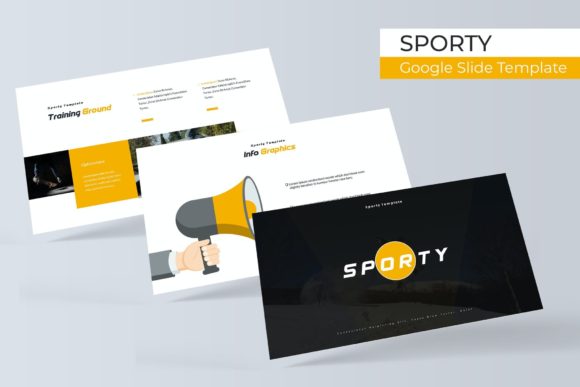
Create Dynamic Presentations with Sporty Google Slide Template
Elevate your next presentation from mundane to magnificent with a design system built for impact and efficiency. The Sporty Google Slide Template is a comprehensive toolkit designed for professionals who need to convey energy, clarity, and modern style. It’s more than just a set of slides; it’s a structured framework that helps you build visually compelling narratives quickly.
This template package is built around flexibility and professional polish. At its core are 150+ total slides, meticulously organized into five premade color themes. Each of the five templates offers 30 unique slides, ensuring you have the right layout for every part of your presentation, from a powerful opening to a detailed data breakdown. The handcrafted infographics and section break slides are particularly useful for transforming complex information into digestible, engaging visuals.
Designed for Speed and Professionalism
One of the standout features is its focus on practical workflow. Every element is based on master slides, which means you can make global changes to fonts, colors, and logos in a single step. The graphics are fully resizable and editable, and the picture placeholders use a simple drag-and-drop function. This pixel-perfect design approach saves valuable time, allowing you to focus on your content rather than technical adjustments.
Whether you're crafting a business report, a marketing proposal, or a creative portfolio, this template adapts to your needs. The gallery and portfolio slides are ideal for showcasing work, while the clean layouts provide a strong foundation for any professional narrative.
What’s Included in Your Design Asset Kit
Your download is a complete package, ready for immediate use. You receive:
- 5 PPTX Files (Standard)
- 5 PPTX Widescreen Files
- 5 premade color variations for ultimate versatility
- A helpful Readme First document
- Information on the free font used, with a download link included
The cohesive design language ensures that every slide feels connected, which is crucial for maintaining brand identity and visual consistency. The modern typography and clean illustrations help your presentation look polished and credible, reinforcing your message with every click.
Tips for Making the Most of Your Template
To get the best results, start by selecting the color theme that best matches your brand's mood or the project's tone. Use the master slides to input your core branding elements first. When adding images, leverage the drag-and-drop placeholders to maintain alignment and proportion. For data-heavy sections, utilize the handcrafted infographics—they are designed to be both beautiful and easy to understand at a glance.
Remember, while the template provides the structure, your content is the star. Keep text concise, use high-quality visuals, and let the clean layouts guide your audience's focus. The right presentation template doesn't just organize information; it enhances how your ideas are perceived, making your work appear more thoughtful and professional.
Choosing a well-designed system like this is an investment in your communication. It provides the creative foundation that allows your expertise and ideas to shine through with clarity and style, helping you make a lasting impression in any professional setting.