Ink. Google Slide Template: Premium Design Features
Imagine transforming your next presentation from a simple slideshow into a visually cohesive and professionally designed narrative. The Ink. Google Slide Template offers just that, providing a comprehensive design system built on a foundation of elegant typography and thoughtful structure. This is more than a collection of slides; it's a toolkit for creators who value consistency and high-end aesthetics in their visual projects.
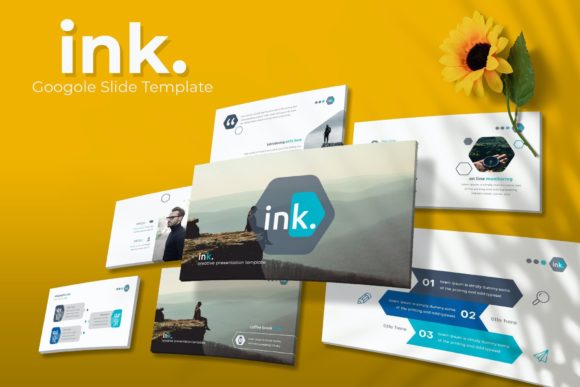
At its core, this template is a masterclass in design flexibility. With 150+ total slides distributed across 5 premade color themes, you get 30 meticulously crafted slides for each color variation. This structure allows you to instantly adapt the template to match your brand's specific color palette or the mood of your project, whether it's a corporate pitch, a creative portfolio, or a product launch. The included handcrafted infographics and section break slides are designed to present data and transition between ideas with clarity and visual appeal.
Designed for Seamless Workflow and Polish
One of the standout features is its focus on practical, time-saving functionality. Built on master slides, every element is resizable and editable, ensuring pixel-perfect precision. The use of graphic picture placeholders with drag-and-drop capability simplifies the process of adding your own imagery, while the gallery and portfolio slides provide dedicated layouts to showcase work beautifully. This attention to detail means you spend less time wrestling with formatting and more time refining your message.
The package includes everything you need to get started immediately: 5 PPTX files (standard and widescreen formats), a helpful Readme file, and links to download the free fonts used in the design. This ensures your final presentation will look exactly as intended, maintaining the intended typographic harmony.
Practical Applications for Various Projects
While perfect for presentations, the design principles within the Ink. template translate powerfully to other creative endeavors. Consider using its layouts as a direct springboard for:
- Brand Identity Systems: Use the consistent slide layouts to define brand guidelines, color usage, and typographic hierarchies.
- Editorial Design & Proposals: Create compelling pitch decks, lookbooks, or digital magazines with its clean, structured pages.
- Social Media & Digital Marketing: Extract individual slide designs to become templates for Instagram carousels, Facebook ads, or webinar graphics, ensuring visual consistency across platforms.
- Portfolio Presentations: The dedicated gallery slides offer a sophisticated way to present design work, photography, or case studies to clients.
Tips for Maximizing Your Template
To get the most out of this asset, start by selecting the color theme that best aligns with your project's emotional tone. Before adding your content, take a moment to study the master slides to understand the design system. When inserting your own photos, ensure they are high-resolution to complement the pixel-perfect illustrations already included. For a cohesive final product, consider using the suggested font pairings as a starting point, or experiment with other modern typefaces that share a similar clean, elegant aesthetic.
Choosing a well-designed template like this is an investment in visual communication. It provides a structured yet creative framework that elevates your content, ensuring your ideas are presented with the professionalism and polish they deserve. The right foundation makes all the difference in capturing and holding your audience's attention.