Kinara Power Point Template: Design a Polished Presentation
Imagine opening a new presentation file and finding a complete, beautifully designed system ready for your ideas. That's the experience the Kinara Power Point Template offers, moving you beyond generic layouts into a world of polished, professional storytelling. This resource is built for those who value both aesthetics and efficiency, providing a robust foundation for any project that needs to make a strong visual impact.
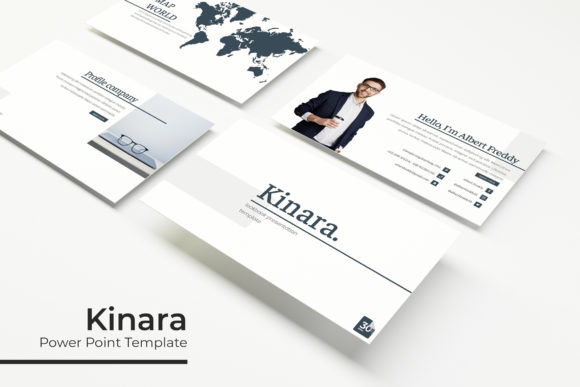
At its core, Kinara is a comprehensive design asset that serves as a creative partner. It’s not just a collection of slides; it’s a curated framework designed to elevate your content. The template includes over 150 total slides, meticulously crafted across five premade color palettes. Each color scheme contains 30 unique slides, ensuring you have consistent variety for any brand or mood. This structure is particularly useful for designers, marketers, and entrepreneurs who need to maintain visual coherence across lengthy decks or multiple presentations.
Practical Features for Seamless Design
What truly sets a premium template apart is its functionality. Kinara is built on master slides, which means every element is editable and scalable. This pixel-perfect approach allows for effortless customization. The handcrafted infographics and section break slides transform complex data into engaging visual narratives, while the dedicated gallery and portfolio slides provide elegant showcases for your work.
The practicality extends to its user-friendly interface. With resizable and editable graphic placeholders, you can simply drag and drop your own images directly onto the slides. This feature dramatically speeds up the workflow, making it ideal for fast-paced environments where time is critical. The inclusion of free font download links in the package removes another common barrier, giving you immediate access to the typography that completes the design.
Where This Template Shines
Consider the Kinara Power Point Template for projects where first impressions are paramount. It is perfectly suited for:
- Brand Identity Presentations: Showcase logo concepts, color palettes, and typography systems with a deck that itself reflects strong design principles.
- Marketing & Social Media Strategy: Outline campaign plans, content calendars, and performance metrics using clear, visually appealing infographics.
- Portfolio Reviews & Proposals: Present case studies and client work in a gallery-style format that emphasizes professionalism and attention to detail.
- Internal Reports & Training: Transform mundane data and procedures into engaging, easy-to-follow materials that respect your audience's time.
When selecting a presentation template, think about the narrative flow of your content. Kinara’s section breaks are not just decorative; they act as visual punctuation, guiding your audience through the story you’re telling. Its versatility also makes it a valuable asset for creating cohesive design materials beyond slides, such as pitch decks for web design projects or visual guides for packaging concepts.
Tips for Making It Your Own
To get the most out of a resource like this, start by defining your project's core message and mood. Then, select one of the five color variations that best aligns with your brand or the emotional tone you wish to convey. Test the font pairings within the template to see how they interact with your body text and headlines. The goal is to use the template’s strong typographic foundation to create a harmonious visual hierarchy that enhances readability.
Remember, the true power of a well-designed template is its ability to disappear, leaving your content as the hero. It provides the structure and polish, allowing your ideas to communicate with clarity and confidence. By choosing a thoughtfully crafted asset like this, you’re not just buying slides; you’re investing in a smoother creative process and a more compelling final product that resonates with your audience.