Start Up Google Slide Template: A Comprehensive Presentation Solution
Creating a polished, professional presentation from scratch is a time-consuming challenge for any startup or business. The Start Up Google Slide Template offers a robust foundation, transforming your ideas into a visually compelling story without the design headache. This comprehensive package is built for efficiency and impact, providing a vast library of over 150 total slides organized into five distinct color themes. With 30 meticulously crafted slides for each premade color variation, you have a complete toolkit at your fingertips.
This isn't just a collection of slides; it's a system for building persuasive pitches, investor decks, and company overviews. The design philosophy centers on clarity and modern aesthetics, ensuring your message is front and center.
Key Features and Creative Flexibility
The true value of this presentation design asset lies in its thoughtful features, which save hours of manual formatting. Every element is crafted with the user in mind, from seasoned designers to those with minimal software experience.
- 150+ Slides & 5 Color Themes: The extensive library covers every conceivable section, from title slides and team bios to data-driven charts and timelines. The five premade color palettes allow you to instantly match the template to your brand identity, ensuring visual consistency throughout your entire deck.
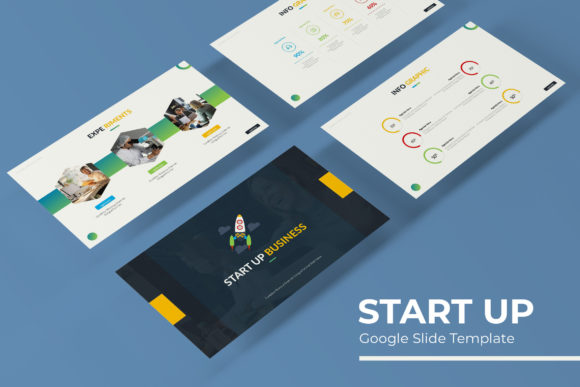
- Pixel-Perfect Illustrations & Infographics: Move beyond generic clipart. The handcrafted infographics and icons are designed to be both beautiful and functional, helping you explain complex processes, market data, or business models with elegant simplicity.
- Effortless Customization: Built on Master Slides, the entire template is resizable and editable. Drag-and-drop picture placeholders make inserting your own photography or illustrations a seamless process. This structure guarantees a professional, cohesive look even as you customize content.
- Complete File Package: Your download includes everything needed to get started immediately: 5 PPTX files for standard aspect ratios and 5 PPTX widescreen files, a helpful readme guide, and direct links to download the free fonts used in the design.
Practical Applications for Startups and Creators
This template is more than a one-time use tool. Its versatility makes it ideal for a range of professional needs. Consider using it for:
- Pitch Decks & Investor Presentations: Structure your narrative with a logical flow, using dedicated slides for problem/solution, market size, business model, and financials.
- Internal Company Updates: Keep your team aligned with clear, visually engaging quarterly reports or project briefings.
- Client Pitches & Proposals: Make a strong first impression by showcasing your services or solutions in a sleek, organized format.
- Educational Workshops & Webinars: Break down information into digestible slides with the included infographic and section break slides.
The Start Up - Google Slide Template Presentation is designed to be a scalable design asset. Whether you're preparing for a critical board meeting or a routine team sync, having a reliable, professional template streamlines your workflow and elevates your communication.
Tips for Choosing and Using a Presentation Template
When selecting any design asset, including a presentation template, keep these practical considerations in mind to ensure it meets your project's needs:
- Assess Readability: Always preview the slides at full size. Ensure the font choices are legible and the text hierarchy is clear, especially for data-heavy slides.
- Match the Mood: Does the template's aesthetic align with your brand's tone? A modern, minimalist template may not suit a playful, illustrative brand, and vice-versa.
- Test Font Pairings: While the included fonts are selected to work together, you may need to swap one for your brand's typeface. Check that the styles remain harmonious.
- Verify the License: Confirm the license allows for your intended use, whether it's for internal presentations, client work, or public distribution.
Ultimately, a well-designed template does more than just look good. It builds trust, enhances comprehension, and allows your content to shine. By providing a structured yet flexible framework, the Start Up Google Slide Template empowers you to focus on your message, confident that the visual presentation supports your professional goals.