Outline Google Slide Template: A Versatile Presentation Kit
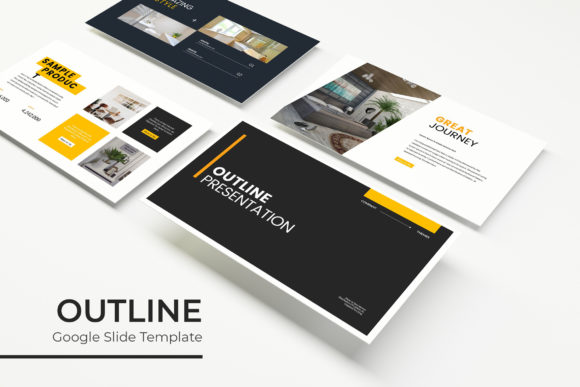
Crafting a presentation that is both visually stunning and structurally sound can feel like a daunting task. You need a foundation that is flexible enough to adapt to your content yet polished enough to make an immediate professional impact. The Outline Google Slide Template offers exactly that—a comprehensive design system built for creators who value both aesthetics and efficiency. With over 150 meticulously crafted slides across five premade color schemes, this template provides a robust starting point for any project, from corporate pitches to creative portfolios.
Key Features for Seamless Design
This template is engineered for practicality and visual appeal. Each of the five color variations includes 30 unique slides, ensuring you have ample room to develop your narrative without repetition. The handcrafted infographics and section break slides help organize complex information into digestible, engaging visuals. Built on master slides, every element is pixel-perfect and fully editable, allowing you to maintain brand consistency with ease.
- Drag & Drop Simplicity: The picture placeholders are resizable and editable, so adding your own images is as simple as dragging a file into place.
- Complete Customization: Change colors, fonts, and layouts to align with your brand identity. The included PPTX files ensure compatibility with both PowerPoint and Google Slides.
- Professional Assets: Includes dedicated gallery and portfolio slides to showcase work beautifully, along with a README file and links to download free fonts used in the design.
Ideal Use Cases and Creative Applications
Think of this Outline Google Slide Template as more than just a presentation tool; it's a versatile design asset. Its clean, modern typography and structured layout make it perfect for a wide range of applications beyond a standard slide deck. Educators can use it to create engaging lesson plans, while entrepreneurs can develop compelling investor pitches or product launch materials. Marketing teams will find the infographic slides invaluable for data-driven reports, and designers can leverage the portfolio slides to present their work to clients with a polished, cohesive look.
The design’s inherent flexibility supports various professional needs. Its structured yet adaptable nature makes it suitable for creating detailed project proposals, workshop materials, or even internal company communications that require a touch of professionalism. The consistent use of modern typography ensures that your content is not only seen but also remembered.
Tips for Maximizing Your Template
To get the most out of this template, start by selecting the color scheme that best matches your project's mood or brand palette. From there, consider the flow of your presentation. Use the section break slides to clearly delineate different parts of your talk, guiding your audience smoothly from one topic to the next. When adding your own content, pay attention to hierarchy—use the built-in heading and body text styles to create a clear visual structure that enhances readability.
Remember, the photographs in the preview are for illustration. When you add your own high-quality images, the drag-and-drop placeholders will make the process seamless. Finally, always test your final presentation on the platform it will be viewed on, whether that's Google Slides or PowerPoint, to ensure all animations and fonts display correctly. This attention to detail separates a good presentation from a great one.
Choosing the right design foundation is a critical step in any creative process. A well-structured template like this one saves valuable time, elevates the professionalism of your output, and provides the creative flexibility needed to bring your unique vision to life. It’s an investment in clarity, impact, and visual storytelling that pays dividends across countless projects.